Choosing Storyblok: A Simpler, More Maintainable Content Strategy
By Gregor • Projects
Earlier this year, I wrote about my plan to add Sanity as a headless CMS to a SvelteKit project. That plan made sense at the time: Sanity is flexible, developer-friendly, and integrates beautifully with modern frameworks.
But as the project evolved, so did the client’s needs. And, I might have lost track of the project myself.It became clear that we didn’t need a complex structured content system — we needed something simple, visual, and easy to update without calling me every time an event changes.
That realization shifted the direction of the project. Instead of Sanity, I’m implementing Storyblok, and it appears to be a better fit for where the project is today.
⸻
The site is growing, and the most active part of it will be events. These events need to be updated regularly — dates, descriptions, photos, pricing, availability, and other small details shift throughout the year.
In the past, clients have sent voice messages on WhatsApp for every little update. That’s not sustainable for them or for me. I love updating my project in GitHub, but it gets expensive for them to pay for the time I spend on the project. A CMS:
A lightweight, intuitive CMS is exactly what they need to manage their own site confidently.
Sanity is powerful, flexible, and developer-centric — which is great for complex systems. But that power comes with setup overhead, schema design, and an interface that’s better suited to people who understand structured data.
My client doesn’t need that.
They need something they can log into, click “Events,” and immediately understand what to do. Storyblok will hopefully give them that simplicity.
The advantages that matter for this project:
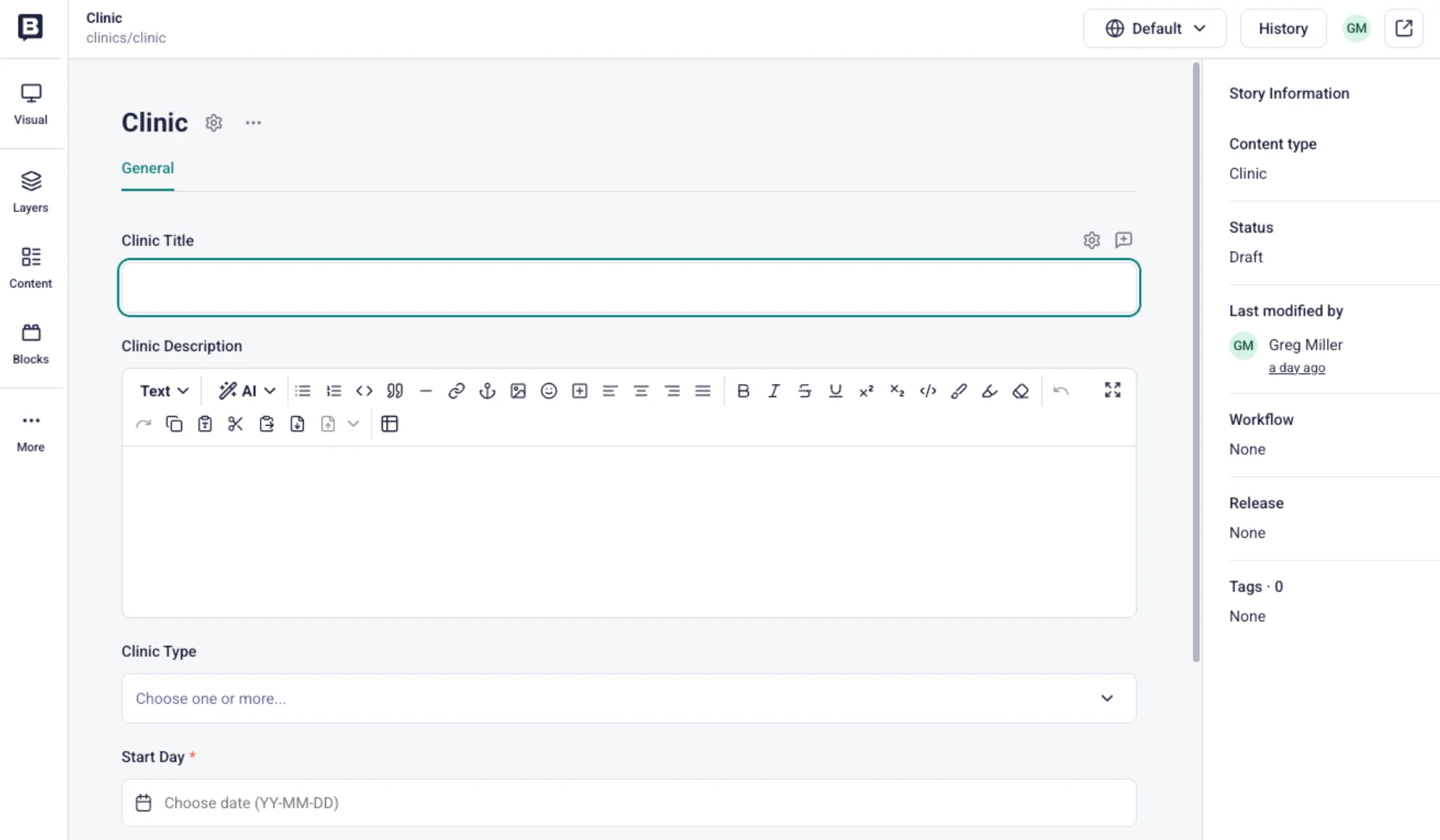
✔ Visual Editor with Real-Time Preview Storyblok’s interface is block-based and shows a live preview as you edit. For non-technical editors, visual feedback matters. They can see exactly how an event will appear on the site before hitting publish.
✔ Simple, Intuitive Content Editing Editor training is minimal. The UI is clean, consistent, and doesn’t overwhelm people who don’t work with data schemas or developers’ tools.
✔ Ideal for Older or Less Tech-Comfortable Clients This was a major factor. Storyblok is simply easier for people who aren’t steeped in UX patterns and front-end development.
✔ Component-Based Structure Storyblok uses reusable “blocks” — perfect for events. A single “Event” block can contain:
This keeps everything predictable and clean.
✔ Free Starter Plan For small sites with a single editor and a handful of content types, Storyblok’s free starter plan fits perfectly. If the project grows, upgrading will be easy.
⸻
While we’re starting with events, Storyblok gives us plenty of room to grow:
We don’t need to build everything now. A good CMS lets us expand gradually and keep things organized. But first let’s get this API connected to the Sveltekit project. In the next post, we’ll do that.
⸻
The goal isn’t to use the most powerful CMS. The goal is to use the CMS that gives the client the freedom to manage their own site without stress. Who knows my next post might be about switching to a different CMS. But today, this makes sense.
Storyblok accomplishes that beautifully, and I’m excited to roll it out.
If you’re considering a headless CMS for a small business or editorial-light SvelteKit project and want your clients to be able to manage content themselves, Storyblok is worth a look.
⸻